Zitadel is open source and self-hostable, which makes it a natural fit if you are already self-hosting DMARC Analyzer. Read how SSO fits together first if you have not — this page is only the Zitadel-specific half.
The pleasant part: there is no client secret. Zitadel’s recommended flow for a web application is PKCE, which authenticates the request with a one-time hash instead of a stored credential. Nothing to keep in a secrets manager, nothing to rotate, nothing to leak.
Screens below are from the v4 console. Throughout,
dmarc-analyzer.agency.tld stands in for your own hostname.
Create a project
In the console, Projects → Create New Project, named dmarc-analyzer. A
project is a container for applications; one application is all this needs.
Register the application
In the project, under APPLICATIONS, click the + tile. That opens a four-step wizard.
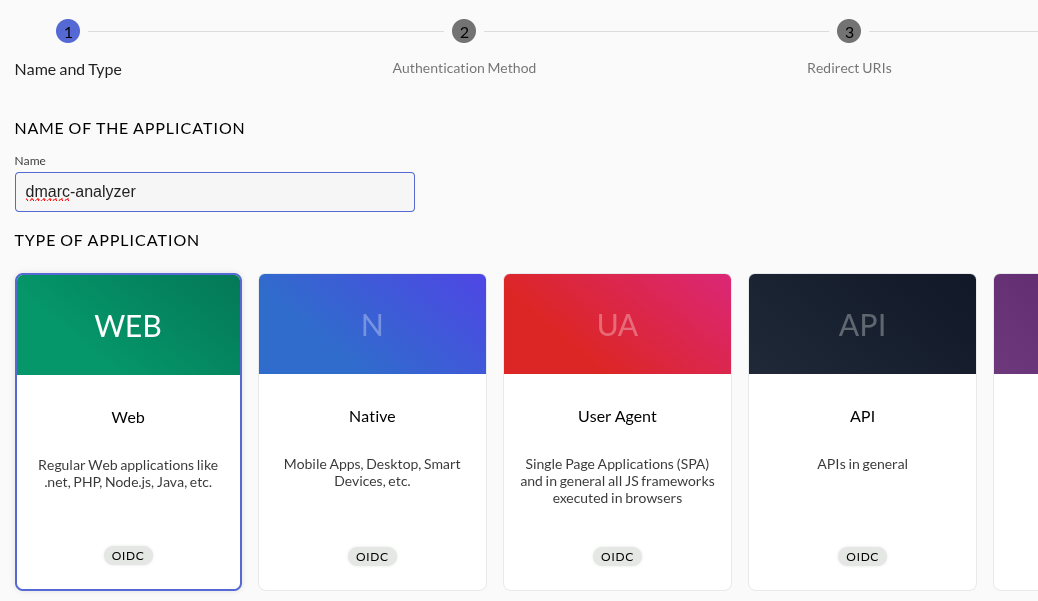
1. Name and type. Name it, and choose Web — the type for a server-side application, which is what DMARC Analyzer is. Not User Agent: that is for browser-side SPAs, and it changes which flows Zitadel will permit.
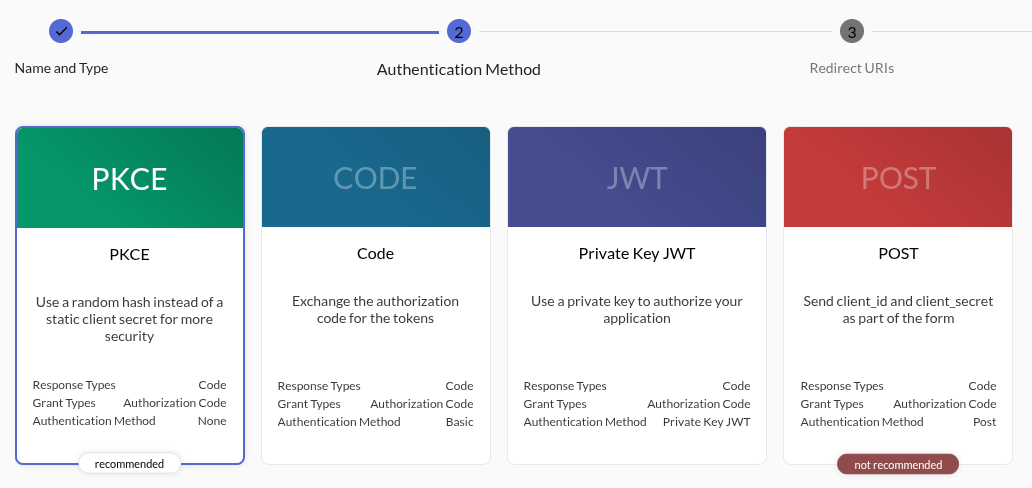
2. Authentication method. PKCE, which is preselected and labelled
recommended. It sets the authentication method to None — meaning no client
secret is issued at all.
3. Redirect URIs. Add:
https://dmarc-analyzer.agency.tld/api/v1/auth/oidc/callback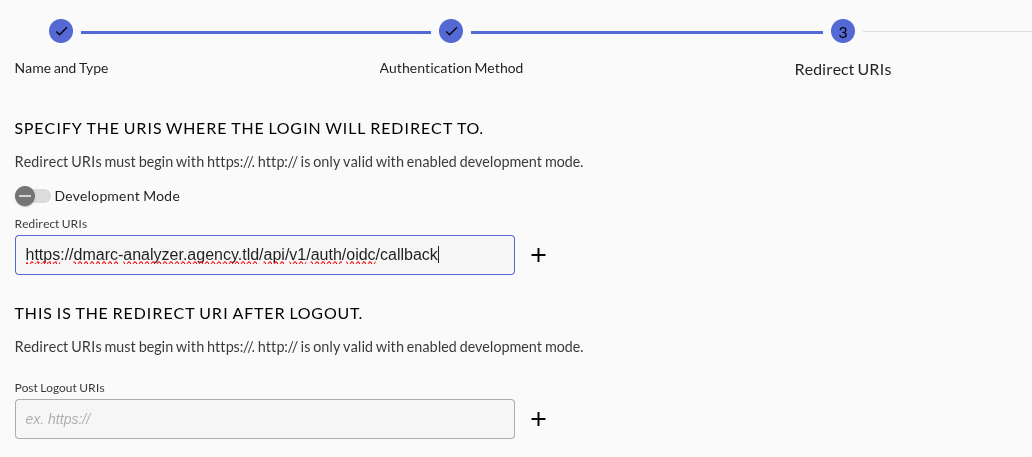
Two things about this screen:
http://is rejected unless Development Mode is on, and it has to be switched on before you add the URI. Development Mode disables redirect-URI validation altogether, so keep it off for anything real — it exists forhttp://localhostduring development.- Press Enter in the field to add the URI. The + beside it does not always register the entry.
Leave Post Logout URIs empty. The app revokes its own session on logout and leaves the Zitadel session alone; single logout is out of scope.
4. Overview. Check it reads Authentication Method: None and that your
redirect URI is listed, then Create.
Copy the client ID
Zitadel shows the client ID once the application exists, and says plainly that there is no secret to go with it:
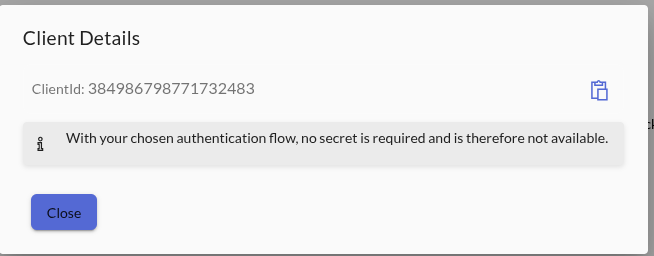
If you miss the dialog, the same value is on the application’s settings page under Client ID, along with the flow it was created with:
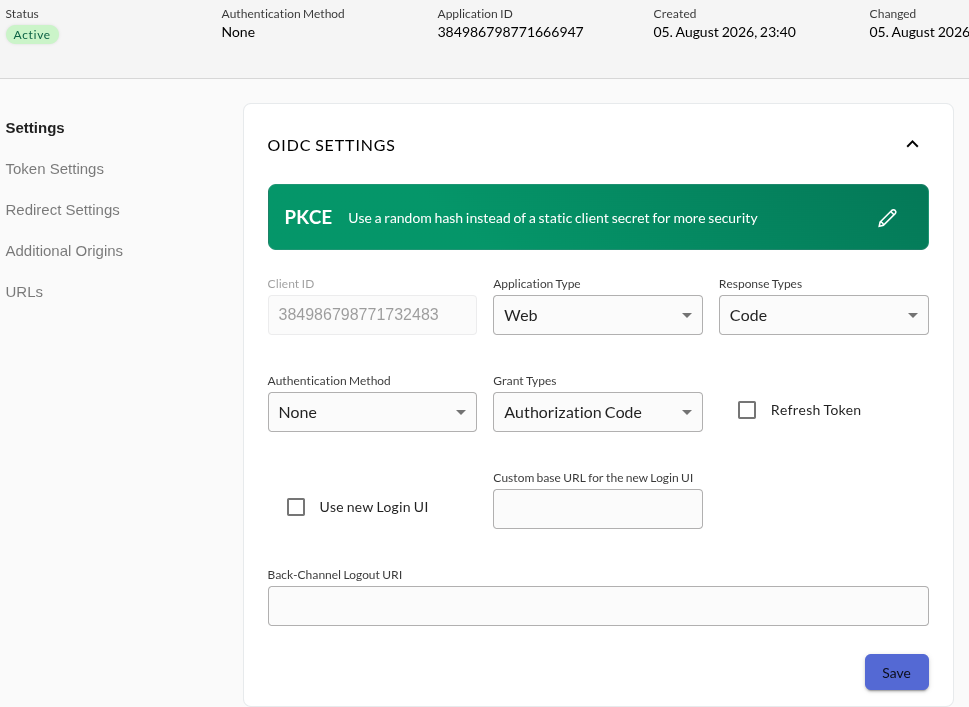
The client ID is not a secret — it travels in every sign-in redirect.
Configure DMARC Analyzer
environment:
  Auth__Oidc__Enabled: "true"
  Auth__Oidc__Authority: "https://zitadel.agency.tld"
  Auth__Oidc__ClientId: "<client id>"
  Auth__Oidc__DisplayName: "Zitadel"
  Auth__Oidc__AutoProvision: "false"
No ClientSecret line — the app only sends one if you configure one, and with a
PKCE application there is nothing to send.
Authority is your Zitadel’s base URL, the value its
/.well-known/openid-configuration reports as issuer. Check that first if
sign-in fails at the very first redirect; the issuer must match exactly what the
browser and the app both reach.
Restart and the login page gains the button. What happens on the first sign-in is the same for every provider.
Behind a reverse proxy, set
Network__UseForwardedHeaders. Without a trust list the app does not believeX-Forwarded-Proto, so it builds anhttp://redirect URI that no longer matches what you registered. See running behind a reverse proxy.
Troubleshooting
redirect_uri mismatch — the registered URI and the one the app builds
differ, exactly and including scheme. If the app is sending http:// for an
HTTPS site, that is the forwarded-headers setting above, not Zitadel.
no_account — authentication worked but no local user matched, with
AutoProvision=false. Create the account first, at the same address Zitadel
holds for that user.
email_not_verified — the app links an SSO identity to an existing local
account only on a verified email, so an unverified address cannot take over an
account. Verify the address in Zitadel.
The button never appears — Auth__Oidc__Enabled is not true, or the app
did not restart. Check GET /api/v1/auth/providers.
Trying it locally
The repository’s development stack ships a Zitadel container for exactly this,
with a walkthrough in
docs/ops/oidc-zitadel.md.
Against a plain-HTTP local instance you will also need
Auth__Oidc__RequireHttpsMetadata: "false" — never in production.